
A fast and reliable internet connection has become essential for modern homes. From streaming movies and working from home to video calls, online gaming, smart home devices, security cameras, and connected televisions, today’s households depend on WiFi for nearly everything.
But what happens when your internet feels slow?
Web pages may take longer to load, videos may buffer, video calls may freeze, and smart devices may disconnect unexpectedly. You may even pay for a high-speed internet plan and still experience poor WiFi performance throughout your home.
If you live in the St. Louis Metro area and are experiencing unreliable wireless connectivity, the problem may not be your internet service provider. In many cases, the issue is the way your home network is designed, positioned, or configured.
Professional WiFi installation in St. Louis can help identify the causes of poor wireless performance and create a network designed around your home’s size, layout, devices, and usage.
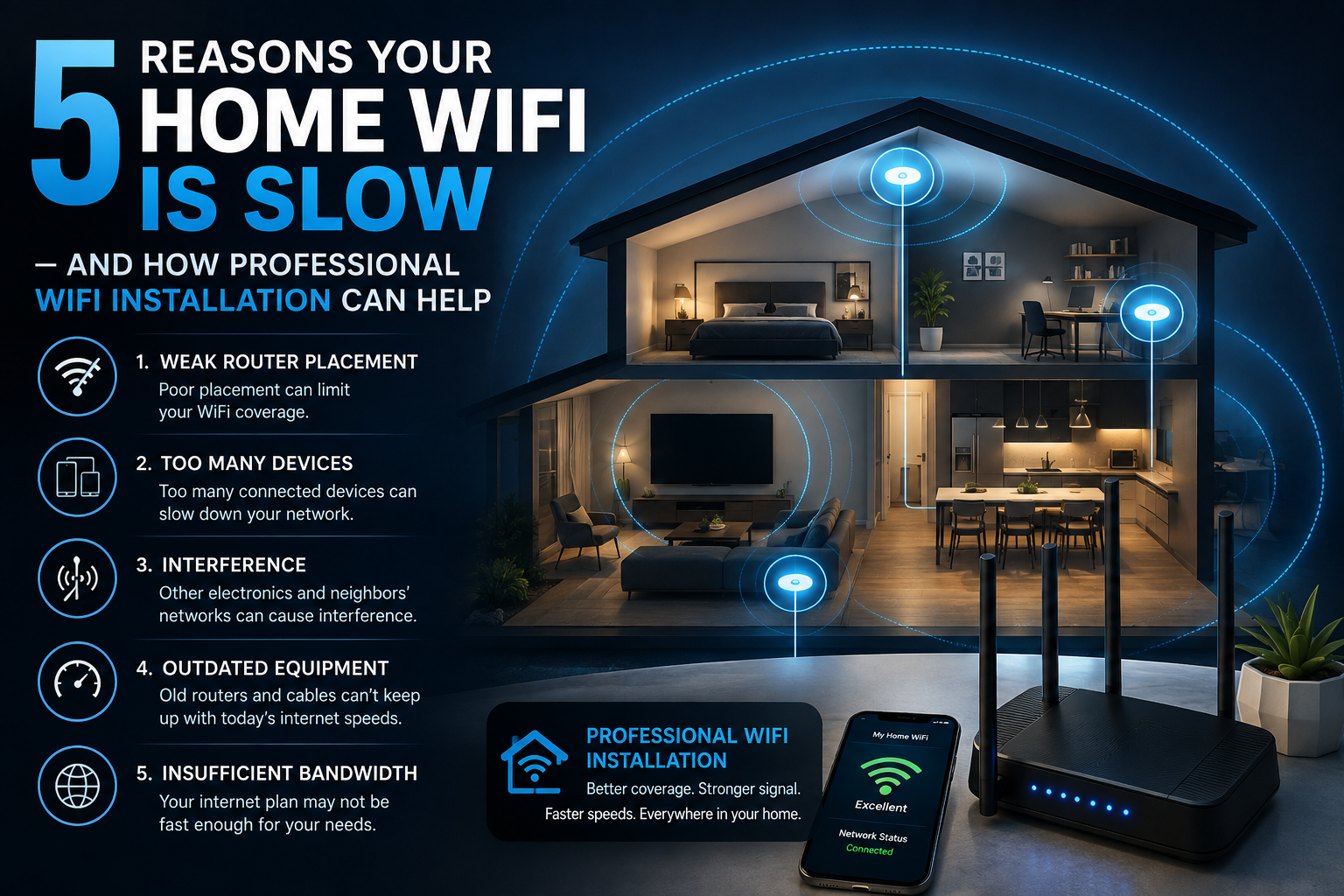
Here are five common reasons your home WiFi may be slow—and how professional WiFi installation can help.
1. Your Router Is in the Wrong Location
One of the most common causes of poor WiFi performance is router placement.
Many homeowners place their router wherever the internet service enters the house. Unfortunately, that location may not be ideal for distributing a strong wireless signal throughout the property.
For example, if your router is located in a basement, corner room, closet, or behind furniture, the WiFi signal may have difficulty reaching bedrooms, offices, entertainment areas, garages, or outdoor spaces.
WiFi signals become weaker as they travel farther from the wireless access point. Walls, floors, appliances, furniture, and other obstacles can also affect wireless performance.
How Professional WiFi Installation Helps
A professional WiFi installer can evaluate your home’s layout and identify better locations for wireless equipment.
Instead of simply placing a router near the internet connection, a professional network installer can consider:
- Home size
- Number of floors
- Wall construction
- Room layout
- Device locations
- High-traffic areas
- Home office locations
- Smart home equipment
- Security cameras
- Entertainment systems
The goal is to distribute wireless coverage where you actually need it.
In larger homes, a single router may not be enough. Additional wireless access points may provide a more consistent connection throughout the property.
2. Your Home Has Too Many Connected Devices
Modern homes can contain dozens of connected devices.
Think about everything that may connect to your home network:
- Smartphones
- Laptops
- Tablets
- Smart TVs
- Streaming devices
- Gaming consoles
- Smart speakers
- Security cameras
- Video doorbells
- Smart thermostats
- Smart lights
- Smart appliances
- Printers
- Home automation equipment
A network that worked perfectly when your household had five connected devices may struggle when that number grows to 30, 40, or more.
This does not necessarily mean that every device is using large amounts of bandwidth at the same time. However, a growing number of connected devices can make network management more complicated.
Security cameras, streaming devices, gaming systems, and video conferencing can be particularly demanding.
How Professional Network Installation Helps
A professional network installer can evaluate the number and types of devices connected to your network.
Your network may benefit from better access point placement, upgraded networking equipment, wired connections for high-demand devices, or improved configuration.
For example, connecting a smart TV, desktop computer, or gaming console through Ethernet can reduce the amount of wireless traffic on your network.
A properly designed network can also provide better connectivity for smart home devices throughout the property.
3. Your Router or Network Equipment Is Outdated
Technology changes quickly.
If you have been using the same router for several years, it may not be capable of providing the performance required by your current household.
Newer networking equipment can provide improvements in speed, capacity, security, device management, and wireless coverage.
However, buying the newest router available does not automatically solve every WiFi problem.
A powerful router placed in the wrong location may still provide poor coverage.
Likewise, upgrading your internet speed will not necessarily improve WiFi performance if the wireless network itself is poorly designed.
How Professional WiFi Installation Helps
A professional WiFi installer in St. Louis can evaluate your existing equipment and determine whether it is contributing to the problem.
Rather than automatically replacing everything, a professional can help determine what actually needs to be upgraded.
Your network may benefit from:
- Modern wireless access points
- Improved router equipment
- Wired Ethernet connections
- Additional access points
- Better network configuration
- Network segmentation
- Improved coverage
- Updated security settings
The right solution depends on your home and your network requirements.
4. You Have WiFi Dead Zones
A WiFi dead zone is an area where the wireless signal is weak or unavailable.
You might notice dead zones in:
- Upstairs bedrooms
- Basements
- Garages
- Home offices
- Backyards
- Finished lower levels
- Rooms farthest from the router
Dead zones are particularly frustrating when they affect devices you depend on.
For example, if your home office has poor WiFi, video meetings may freeze or disconnect. If your security camera is installed at the edge of your wireless coverage, it may repeatedly lose its connection.
If your smart TV is located far from the router, streaming may buffer or reduce video quality.
How Professional Access Point Installation Helps
One solution is installing strategically positioned wireless access points.
An access point installation can provide wireless coverage in areas that a single router cannot adequately reach.
Unlike simply placing a basic WiFi extender wherever a signal is weak, a professionally designed network can use wired connections between network equipment when appropriate.
This can provide a more reliable foundation for your wireless network.
For larger homes, multiple access points can be positioned to provide consistent coverage across different floors and rooms.
The objective is not simply to have WiFi everywhere—it is to have reliable WiFi where you actually use it.
5. Your WiFi Network Is Not Designed for Your Home’s Needs
Perhaps the biggest issue is that your network was never designed around the way your household uses technology.
Every home is different.
A small apartment with a handful of devices has very different networking requirements from a large St. Louis-area home with multiple floors, several televisions, security cameras, smart home equipment, gaming consoles, computers, and multiple people working or streaming simultaneously.
This is where professional network solutions can make a significant difference.
A professional installer can look at the entire environment rather than treating one slow device as an isolated problem.
How Professional WiFi Installation Helps
Professional WiFi installation can involve several steps.
Step 1: Evaluate the Home
The installer examines the home’s size, layout, construction, and areas where WiFi is needed.
Step 2: Identify Problem Areas
Signal weaknesses and connectivity issues can be identified throughout the property.
Step 3: Evaluate Existing Equipment
Your router, modem, access points, switches, and other networking equipment can be reviewed.
Step 4: Design the Network
The installer can determine where wireless access points and other network equipment should be positioned.
Step 5: Install and Configure Equipment
Equipment can then be installed and configured according to the requirements of your home.
Step 6: Test the Network
Testing helps identify areas that may still require improvement.
This approach can be more effective than simply purchasing another inexpensive WiFi extender and hoping it solves the problem.
WiFi Extenders vs. Professional Access Points
Many homeowners try WiFi extenders when they experience weak coverage.
Extenders can be useful in certain situations, but they are not always the best solution.
A poorly positioned extender may receive a weak signal from the router and simply repeat that weak signal.
Professional access point installation, on the other hand, can provide strategically positioned wireless coverage and may use wired Ethernet connections back to the network.
For larger homes or households with demanding network requirements, professionally installed access points may provide a more scalable solution.
Your WiFi Also Supports Your Smart Home
WiFi is increasingly important to home automation.
Devices such as smart speakers, thermostats, lighting systems, video doorbells, security cameras, and other connected products may depend on your wireless network.
JELNIC IT & AV Services supports popular smart home technologies, including Ring Video Doorbell, Google Home, Nest smart home devices, Arlo, and SimpliSafe, among others.
A reliable network can help these devices communicate consistently.
If your security camera repeatedly disconnects or your smart home devices have unreliable connectivity, the problem may be related to network coverage rather than the devices themselves.
Don’t Forget Your Home Theater
Your entertainment system can also put significant demands on your network.
Smart TVs, streaming devices, gaming consoles, and home theater equipment often rely on a strong connection.
If you are investing in home theater installation, it makes sense to consider the network at the same time.
A professional AV and IT provider can help coordinate your television, streaming equipment, speakers, and network so that your entertainment system has the connectivity it needs.
When Should You Consider Professional WiFi Installation?
You may want to consider professional WiFi installation in St. Louis if:
- Your WiFi is slow in certain rooms.
- You have frequent connection drops.
- You have multiple WiFi dead zones.
- Your home has multiple floors.
- You have many connected devices.
- You work from home.
- Your security cameras frequently disconnect.
- Streaming services regularly buffer.
- Gaming performance is inconsistent.
- Your smart home devices lose connectivity.
- Your existing router is several years old.
- You have already tried WiFi extenders without success.
A professional assessment can help determine whether you need new equipment, better placement, additional access points, wired connections, or another network solution.
Why Professional WiFi Installation Is Worth Considering
It can be tempting to troubleshoot your network by purchasing equipment one piece at a time.
However, this approach can eventually result in a collection of networking devices that are difficult to manage and may not work together as effectively as they should.
Professional WiFi installation takes a more comprehensive approach.
Instead of asking, “What router should I buy?” the better question is:
“What network does my home need?”
That answer depends on the size of the property, the construction, the number of users, the number of devices, the type of technology being used, and how the network is expected to perform.
JELNIC IT & AV Services for WiFi and Networking
JELNIC IT & AV Services provides WiFi installation, network installation, access point installation, IT support, network solutions, smart home services, TV installation, AV services, and technology solutions for homes and businesses.
If you are experiencing slow WiFi, unreliable connections, or dead zones, JELNIC can help evaluate your network and determine a solution based on your home’s requirements.
From improving coverage to supporting smart home devices, home theaters, security cameras, and work-from-home environments, a professionally designed network can provide a stronger foundation for the technology you use every day.
Final Thoughts
Slow WiFi can be frustrating, especially when you are paying for a high-speed internet plan.
The problem may be caused by router placement, too many connected devices, outdated equipment, dead zones, or a network that was never designed around your home’s specific requirements.
Professional WiFi installation in St. Louis can help address these issues by evaluating your property, identifying weak areas, improving equipment placement, installing access points where appropriate, and creating a network that can support your connected lifestyle.
Your home network is the foundation for your TVs, computers, smart home devices, security cameras, gaming systems, streaming services, and more.
If your WiFi is struggling to keep up, it may be time to stop adding temporary fixes and start looking at the network as a complete system.
JELNIC Does It — professional WiFi installation, network solutions, IT support, AV services, and smart home technology for St. Louis homeowners and businesses.
Looking for a WiFi installer in St. Louis? Contact JELNIC IT & AV Services to discuss your home’s networking needs.