
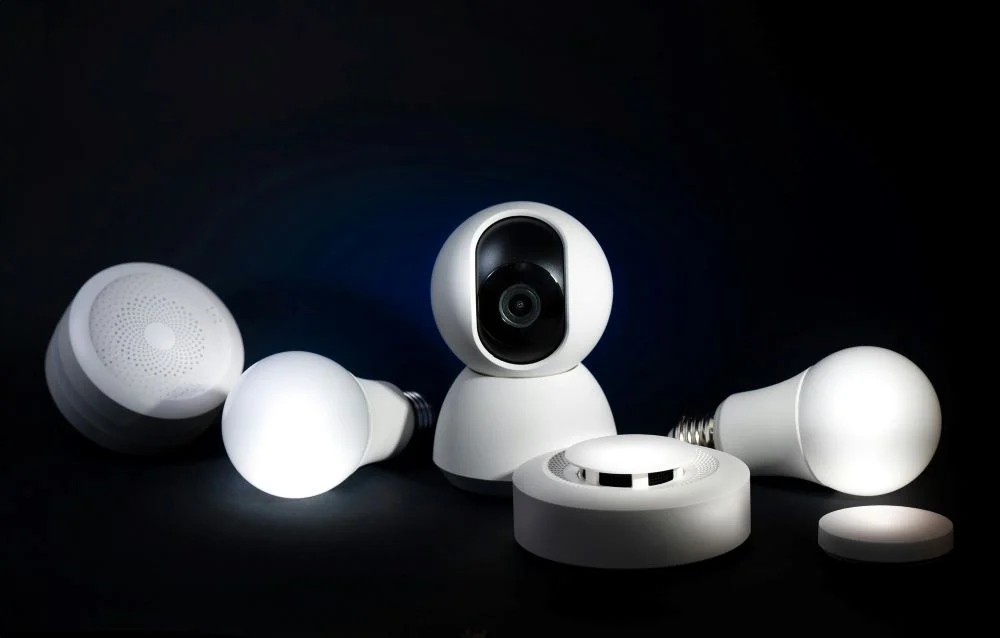
In today’s fast-paced world, home security has evolved beyond traditional locks and alarms. With the rise of smart technology, homeowners now have access to advanced tools like smart cameras, motion sensors, and AI-powered surveillance systems that provide real-time monitoring and enhanced protection.
If you’re looking to upgrade your home security, integrating smart cameras and sensors can give you peace of mind while deterring potential intruders. In this guide, we’ll explore:
- Why smart home security is essential
- Top smart cameras and sensors for home protection
- How to set up a smart security system
- Best practices for maximizing security
By the end of this post, you’ll have a clear understanding of how to safeguard your home with cutting-edge technology.
Why Smart Home Security is a Must in 2024
Home invasions and burglaries remain a significant concern—a burglary occurs every 25.7 seconds in the U.S. (FBI Crime Data). Traditional security measures are no longer enough, as criminals have become more sophisticated.
Smart home security systems offer:
✅ Real-time alerts – Get instant notifications if suspicious activity is detected.
✅ Remote monitoring – Check your home from anywhere via your smartphone.
✅ Automated responses – Smart sensors can trigger lights, alarms, or even lock doors.
✅ Evidence collection – High-definition footage helps identify intruders.
With smart technology becoming more affordable, there’s no reason not to invest in a system that keeps your home safe 24/7.
Best Smart Cameras for Home Security
Choosing the right smart camera depends on your needs—indoor vs. outdoor, wired vs. wireless, and budget. Here are some top options:
1. Google Nest Cam (Indoor/Outdoor)
- Features: 24/7 live streaming, HD video, night vision, AI-powered person detection.
- Best for: Users who want seamless integration with Google Assistant.
2. Arlo Pro 4 (Wireless Outdoor Camera)
- Features: 2K resolution, weather-resistant, color night vision, no hub required.
- Best for: Those who need a reliable, wire-free outdoor camera.
3. Ring Stick Up Cam (Budget-Friendly Option)
- Features: 1080p HD, two-way talk, works with Alexa, easy installation.
- Best for: Homeowners looking for an affordable yet effective security camera.
4. EufyCam 2C (No Monthly Fees)
- Features: Local storage (no cloud fees), 180-day battery life, human detection.
- Best for: Users who want a subscription-free security solution.
Top Smart Sensors for Enhanced Security
Smart cameras are great, but combining them with motion sensors, door/window sensors, and environmental detectors creates a robust security net.
1. Motion Sensors (e.g., Philips Hue Motion Sensor)
- Detects movement and can trigger lights or alarms.
- Ideal for hallways, garages, and backyards.
2. Door/Window Contact Sensors (e.g., Samsung SmartThings)
- Alerts you if a door or window is opened unexpectedly.
- Works with smart locks for automated locking.
3. Glass Break Sensors (e.g., SimpliSafe Glass Break Sensor)
- Detects the sound of breaking glass, adding an extra layer of security.
4. Environmental Sensors (e.g., Nest Protect)
- Monitors smoke and carbon monoxide, keeping your home safe from fires and gas leaks.
How to Set Up Your Smart Home Security System
Step 1: Assess Your Home’s Vulnerabilities
- Identify entry points (doors, windows, garage).
- Determine blind spots where cameras should be placed.
Step 2: Choose a Central Hub (Optional)
- Smart hubs like Samsung SmartThings or Hubitat help unify devices.
Step 3: Install Cameras & Sensors Strategically
- Front door: A smart doorbell camera (e.g., Ring Video Doorbell).
- Backyard: Weatherproof cameras with motion detection.
- Indoor: Cameras covering main entryways and valuables.
Step 4: Connect to a Monitoring Service (Optional)
- Professional monitoring (e.g., ADT, SimpliSafe) provides 24/7 emergency response.
Step 5: Test & Optimize
- Ensure cameras have clear views.
- Adjust motion sensitivity to avoid false alarms.
Pro Tips to Maximize Smart Home Security
🔹 Use Two-Factor Authentication (2FA) – Prevents hackers from accessing your cameras.
🔹 Enable Geofencing – Automatically arms/disarms your system when you leave/arrive.
🔹 Regular Firmware Updates – Keeps devices secure from vulnerabilities.
🔹 Integrate with Smart Lighting – Motion-activated lights scare off intruders.
🔹 Backup Footage – Use cloud or local storage to retain critical evidence.
Final Thoughts: Is Smart Home Security Worth It?
Absolutely! Smart cameras and sensors provide real-time protection, deter burglars, and give you control over your home’s safety—even when you’re away.
At Jelnic Services, we’re committed to helping you find the best smart security solutions. Whether you need expert recommendations or installation guides, we’ve got you covered.
🚀 Ready to upgrade your home security? Explore our latest reviews and buying guides to make an informed decision!
FAQs
Q: Can smart cameras work without Wi-Fi?
A: Some cameras offer local storage (SD cards), but most require Wi-Fi for real-time alerts.
Q: Are smart home systems hackable?
A: With strong passwords and 2FA, risks are minimized. Stick to reputable brands.
Q: How much does a smart security system cost?
A: Basic setups start at
100–
100–300, while advanced systems with monitoring can go up to $600+.
By implementing these smart security strategies, you’ll deter criminals, monitor your property remotely, and sleep easier knowing your home is protected.🔒 Stay safe, stay smart! For more tech insights, visit http://jelnicservices.com today.